1. Add the seated dock partner
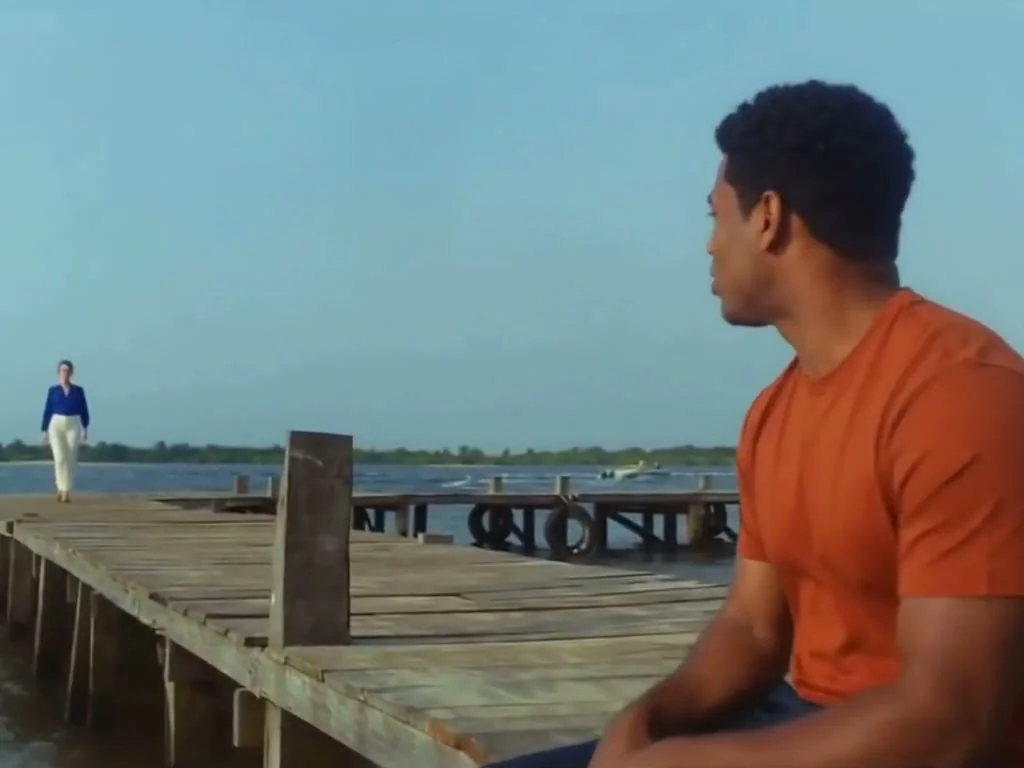
Upload a clear photo for Person A, the seated partner. Choose an image where the face and outfit are easy to see.
AI Rap Flow GUIDE
Updated October 27, 2026
Upload two separate photos and assign Person A to the seated dock role and Person B to the singer role. Select Raindance AI and review its fixed 27.04-second, 4:3 output and current credit cost before submitting. The generation workflow is working; full workflow acceptance is still in progress. Open Raindance AI to create your own version.
What’s new · October 28, 2026: Updated the Raindance AI example video; full workflow acceptance is still in progress.
Upload a clear photo for Person A, the seated partner. Choose an image where the face and outfit are easy to see.
Upload a separate photo for Person B, the singer. The product assigns roles by slot, not by gender, so check the photo order before continuing.
Keep Raindance AI selected and choose H3 768P (40 credits) or H3 2K (65 credits). Duration, 4:3 framing and choreography are fixed.
Review both photos, the tested three-part prompt, quality and credit cost before confirming. The delivered MP4 is silent, so add music separately if you want a soundtrack.
Create a Raindance AI videoCheck which image is in each upload slot: Person A is seated at the dock and Person B is the singer. Replace the photo in the incorrect slot before submitting.
Use a separate, clear photo for each role with a visible face and outfit. Results can vary, so review the output before sharing.
It is an AI-generated Raindance example made in our studio, not the original music video or a template reference. Results from your photos will vary.
Two separate photos: one for the seated dock partner and one for the singer.
The upload slots set the roles: Person A is seated and Person B sings. Review the order before submitting.
No. The current template is fixed at 27.04 seconds and 4:3.
The generated MP4 is silent. Add a soundtrack separately if needed.
The product page currently lists H3 768P for 40 credits and H3 2K for 65 credits. Confirm the current selection and cost in the studio.
No. It is an AI-generated Raindance example from our studio, not the original music video or a template reference.
Explore the other live guides: AI rap video how-to · Hotel Lobby how-to · Bulin 47 how-to. Or browse all guides.